Analysis Tools
Rulebricks provides two powerful analysis tools in the rule editor to help you understand how your rules perform in production and how changes might affect outcomes.
Available Tools
Impact Analysis
Test how changes to your rule conditions would affect outputs before deploying. Impact analysis replays historical requests through modified conditions to show you exactly what would change.
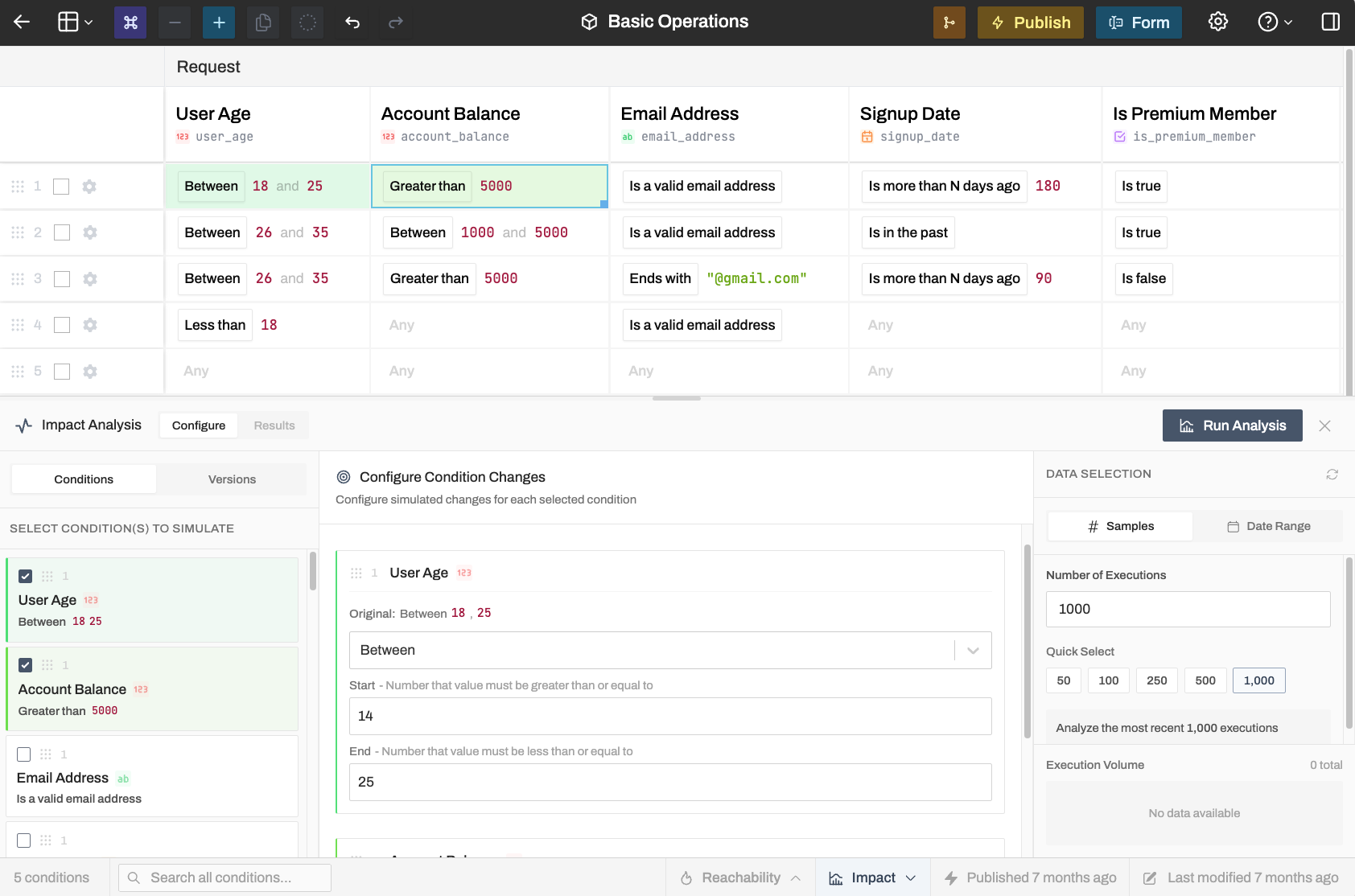
Use it when:
- You're considering changing a condition value
- You want to compare the current rule version against a previous one
- You need to understand the downstream effects of a rule change
Learn more about Impact Analysis →
Reachability Analysis
See which rows in your decision table are actually being matched by production traffic. Reachability analysis shows you hit frequencies and helps identify dead code or optimization opportunities.
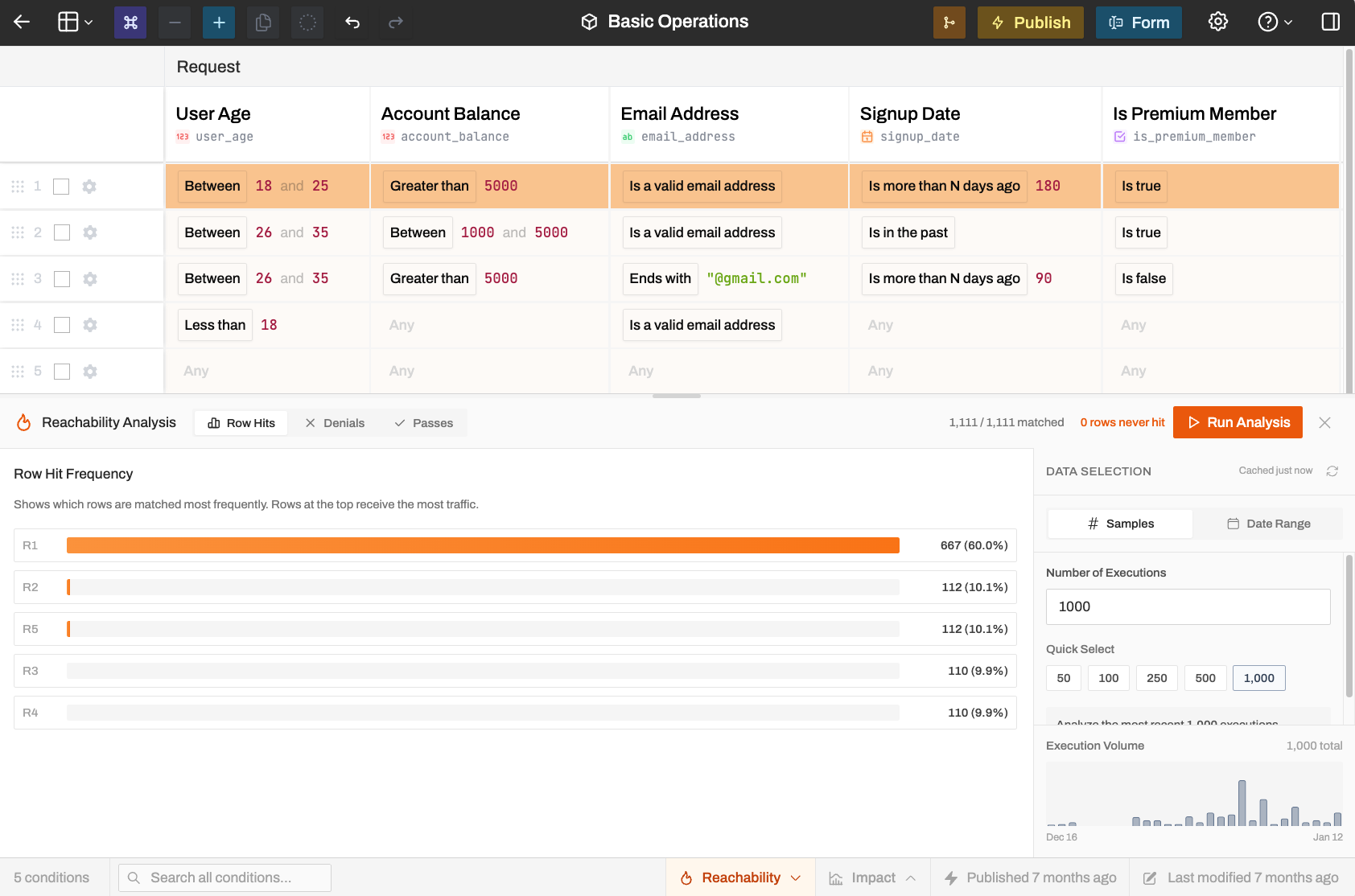
Use it when:
- You suspect some rows are never being matched
- You want to optimize rule evaluation order
- You need to understand which conditions are causing the most rejections
Learn more about Reachability Analysis →
Accessing the Tools
Both tools are available in the footer bar of the rule editor and are available on any paid plan. Click Impact or Reachability to open the respective analysis panel.
Results are based on your rule's execution logs, so you'll need some production traffic before the analysis becomes meaningful.
For static analysis of rule structure (without production data), see Rule Warnings, which examines your rule for potential issues like unreachable rows and coverage gaps.