Getting Started with Contexts
Let's build a Customer Context that tracks customer data across multiple sources and automatically runs your bound rules when the required information is available.
Create a Context
Go to Dashboard → Contexts and click Create Context.
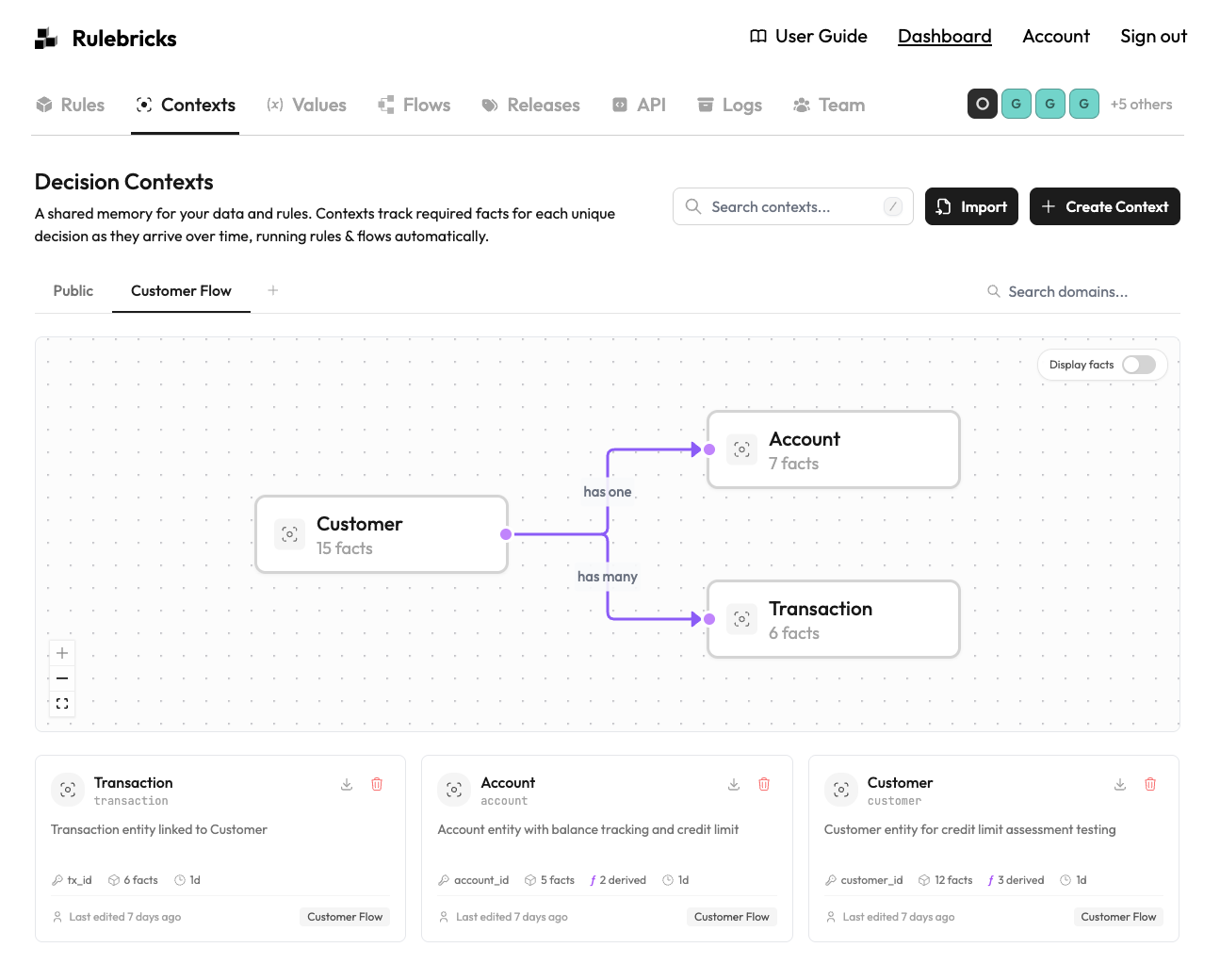
Name it "Customer" and set customer_id as the identity fact. This is what uniquely identifies each customer flowing through the system.
Define Your Facts
In the Context Editor, add the facts your decisions need:
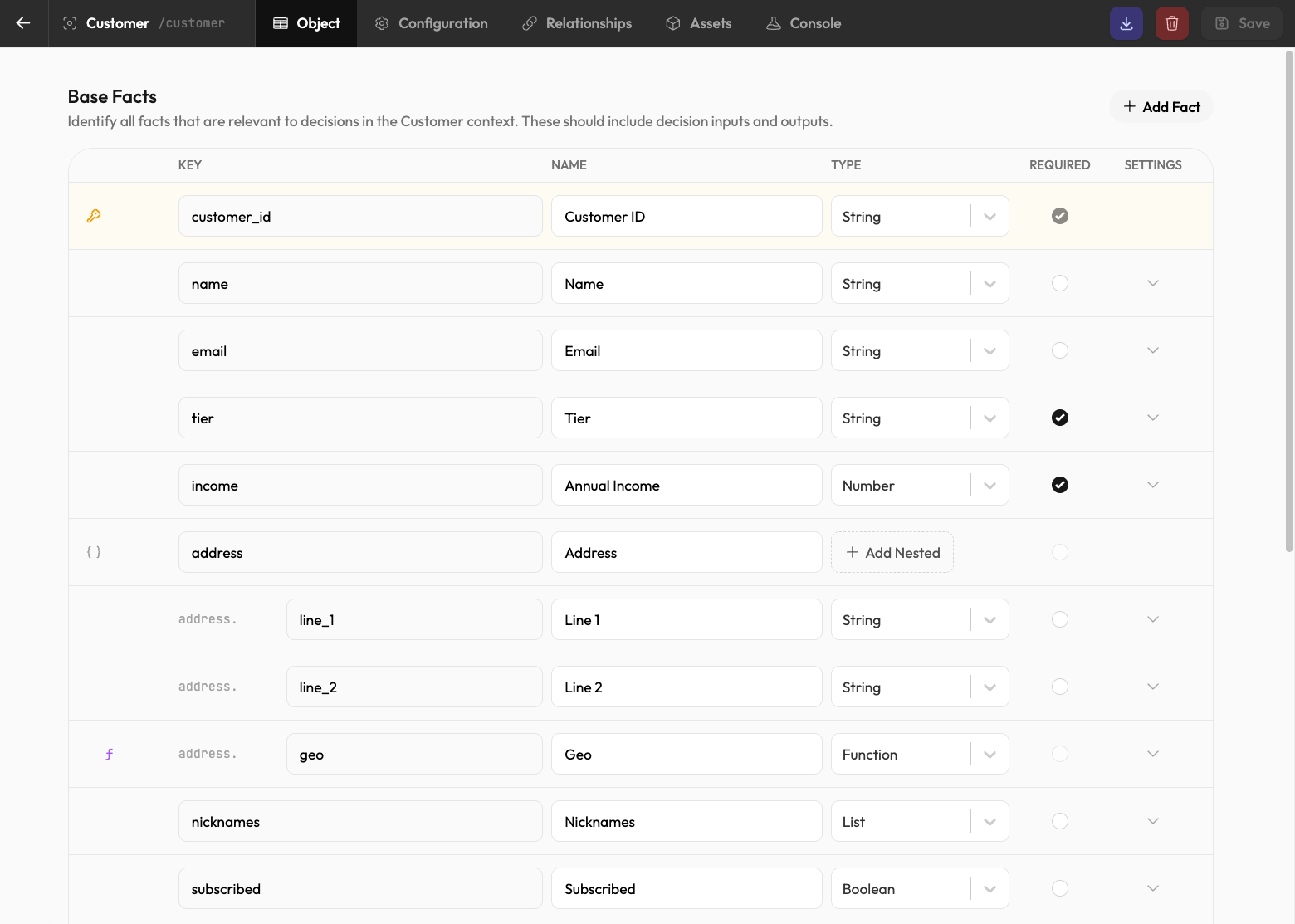
| Fact | Type | Required |
|---|---|---|
customer_id | string | Yes |
name | string | No |
email | string | No |
tier | string | Yes |
income | number | Yes |
address | object | No |
nicknames | list | No |
subscribed | boolean | No |
Mark facts as required if rules can't execute without them. Facts like tier and income might be required for your decisions, while profile data like nicknames is optional.
Add a Derived Fact (Optional)
Derived facts calculate automatically from other facts or related entities. Add a total_spent fact that aggregates transaction amounts:
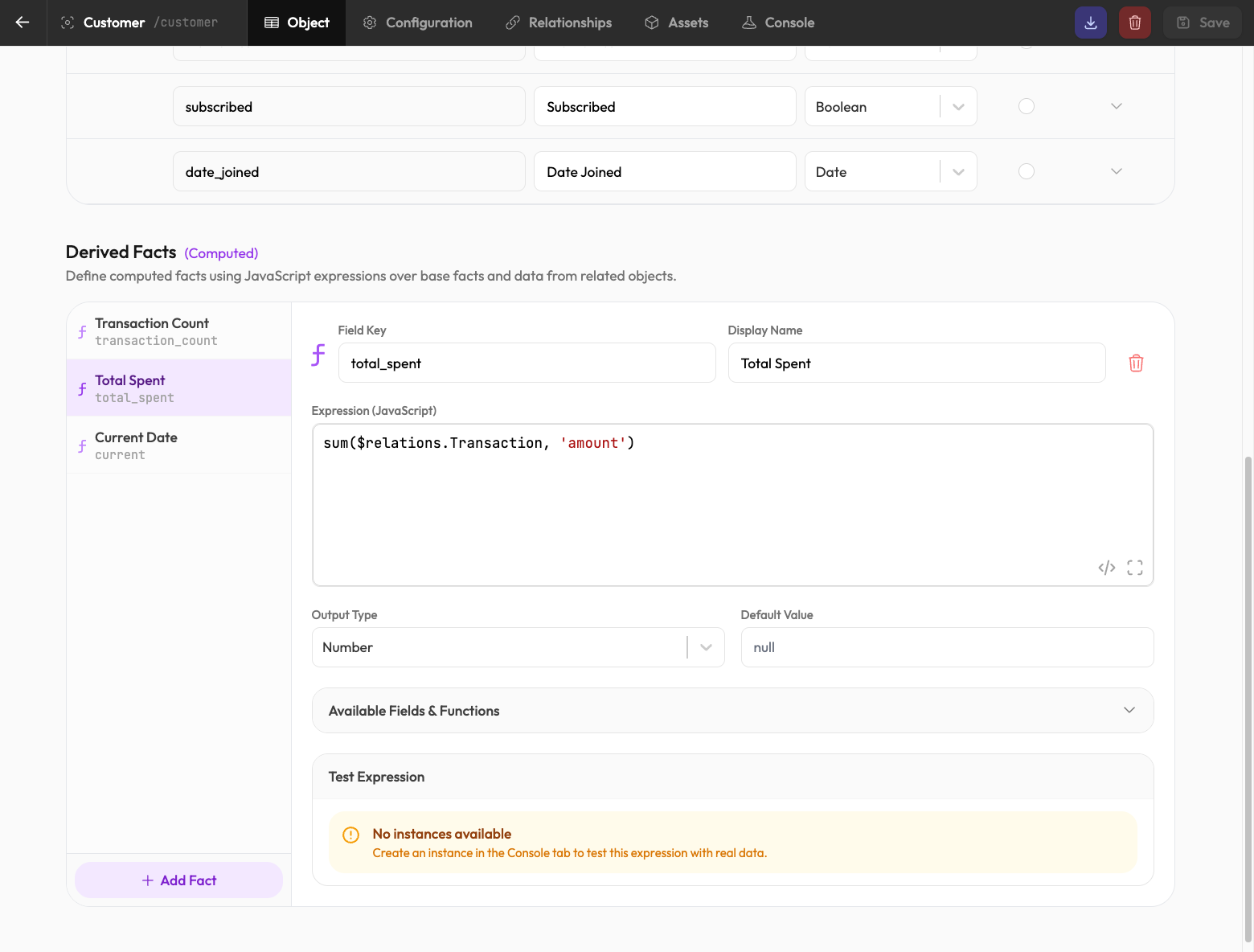
sum($transactions, 'amount')This example assumes the relationship is named transactions; expressions reference relationships as $<relationship-name>. It updates whenever a related Transaction is added or modified. You can also create derived facts like transaction_count to track how many transactions a customer has.
Link Your Rule
Create a rule, set its input schema to From Context, and select the Customer context. Any rules you create in this way will read from context facts and write their decision results back automatically.
Learn more about linking decision assets →
Test It
Use the Console tab to explore live customer instances:
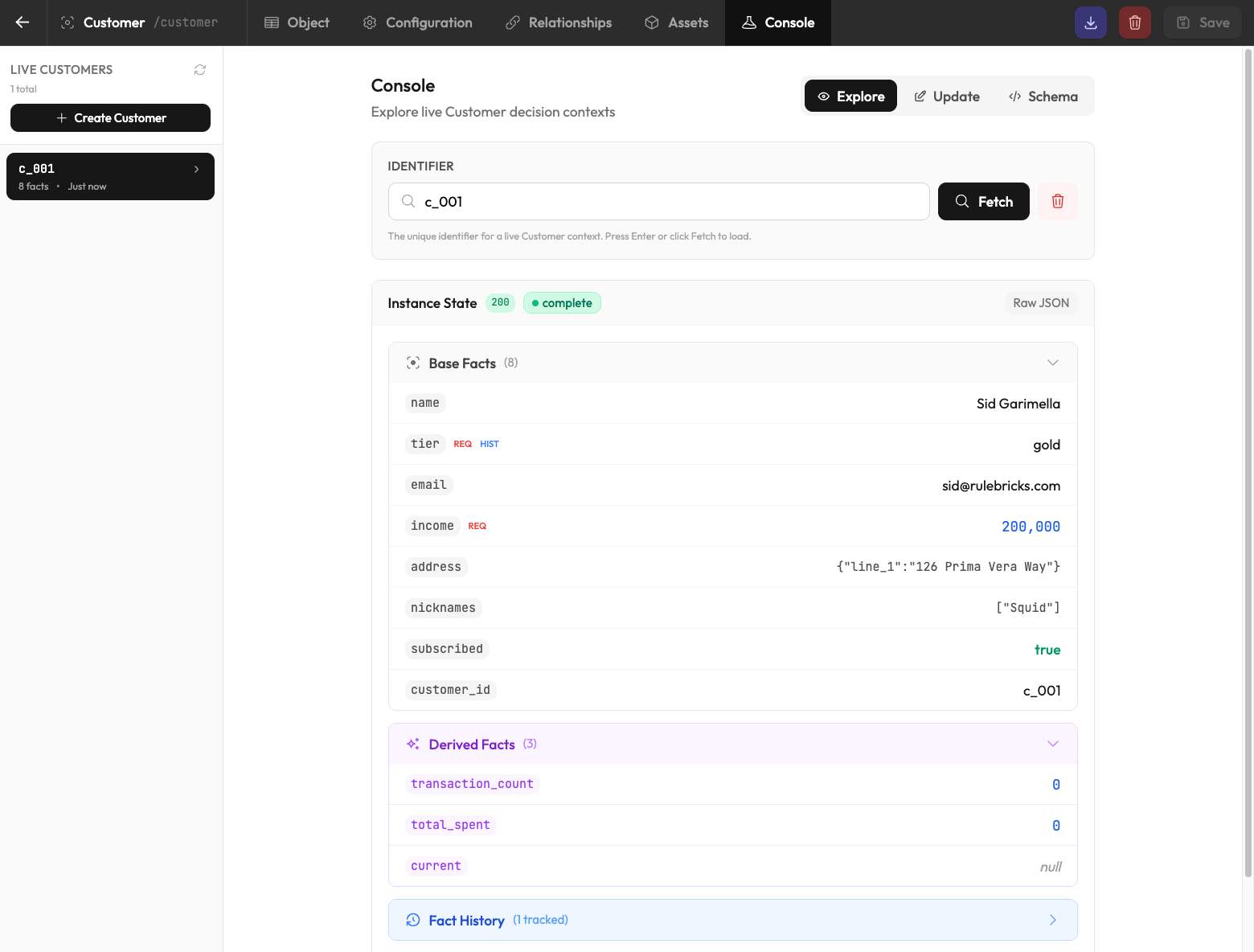
Enter a customer ID like c_001 to fetch the instance and see all base facts (name, tier, income, etc.) and derived facts (transaction_count, total_spent). When required facts are present, bound rules/flows execute automatically. If you've already set those up, you should be able to see their outputs write-back to your live context accordingly.
Using the API
Submit facts to a context instance via POST:
curl -X POST "https://rulebricks.com/api/v1/contexts/customer/c_001?include=execution_results,state,status,have,need,triggered" \
  -H "x-api-key: YOUR_API_KEY" \
  -d '{ "tier": "gold", "income": 200000 }'
The response shows the instance's resolved state and readiness. While required facts are still missing, status is pending and need lists what's outstanding (the identity fact is taken from the URL automatically):
{
  "context": "customer:c_001",
  "state": { "customer_id": "c_001", "tier": "gold" },
  "status": "pending",
  "have": ["customer_id", "tier"],
  "need": ["income"],
  "is_new": true,
  "expires_at": "2024-01-16T10:30:00.000Z",
  "cascaded": []
}
When a submission completes a bound rule's inputs, the rule executes in the same request. Its results appear under cascaded and its outputs are written back into state:
{
  "context": "customer:c_001",
  "state": {
    "customer_id": "c_001",
    "tier": "gold",
    "income": 200000,
    "tier_benefits": ["free_shipping", "priority_support"]
  },
  "status": "complete",
  "have": ["customer_id", "tier", "income", "tier_benefits"],
  "need": [],
  "is_new": false,
  "expires_at": "2024-01-16T10:31:00.000Z",
  "cascaded": [
    {
      "context": "customer:c_001",
      "rule": "customer-decision",
      "status": "solved",
      "result": { "tier_benefits": ["free_shipping", "priority_support"] },
      "auto_executed": true,
      "written_to_context": ["tier_benefits"]
    }
  ]
}
Key Concepts
- Facts and Schema: Derived facts, history tracking, and schema design
- Execution Mode: How auto-execution and cascades work
- Binding Rules: Connect rules to read from and write to contexts