Releases in Rulebricks
Building business logic is only half the story. The rules and flows you create in Rulebricks represent critical decision-making processes (pricing calculations, eligibility checks, fraud detection, compliance validation) that drive real outcomes in your applications. But between the moment you finish building a rule and the moment it starts serving production traffic, there exists a gap that many teams overlook until it becomes a problem.
Releases in Rulebricks enable structured, version-controlled deployments for your rules and flows.
Rather than having changes take effect the moment you click "publish," Releases creates a deliberate separation between ongoing development work and production deployments.
The Releases Tab
When you navigate to the Releases tab in your Rulebricks workspace, you encounter a unified view of your deployment landscape. The interface organizes your assets, both rules and flows, into two distinct categories that reflect their current deployment status.
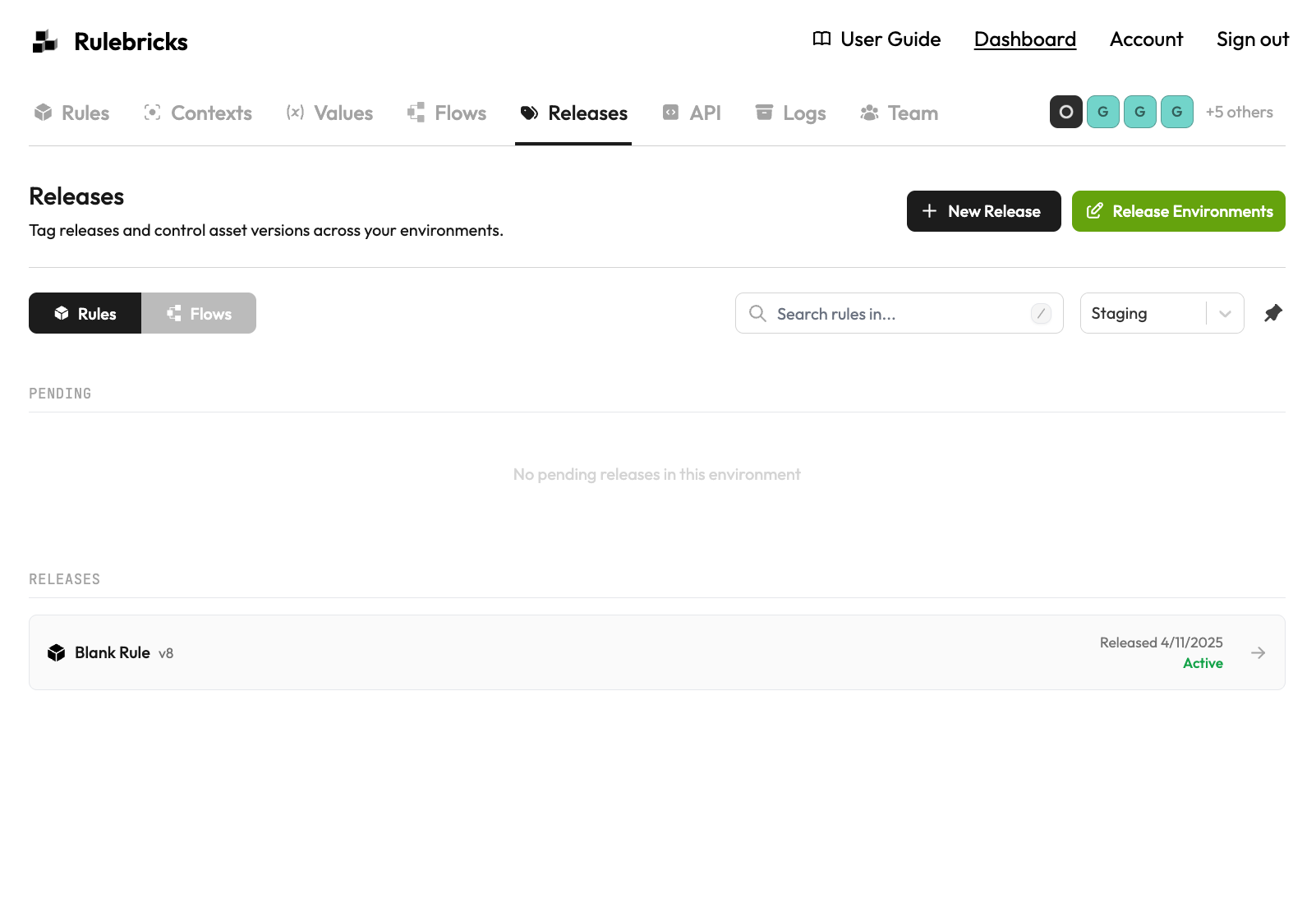
At the top of the screen, you can toggle between viewing rules and flows, and filter by environment using the dropdown selector. This environment-centric view is intentional: rather than asking "what state is this rule in?" you ask "what is deployed to staging?" or "what is live in production?" This subtle shift in perspective mirrors how operations teams actually think about deployments.
The interface divides releases into two sections. The Pending section shows releases that have been requested but not yet approved. These represent changes that are in flight, awaiting review before they go live. Below that, the Releases section displays assets that have successfully been released to the selected environment, showing you exactly what version is currently active and when it was deployed.