Creating Objects
Go to Team → Objects and click Add Object.
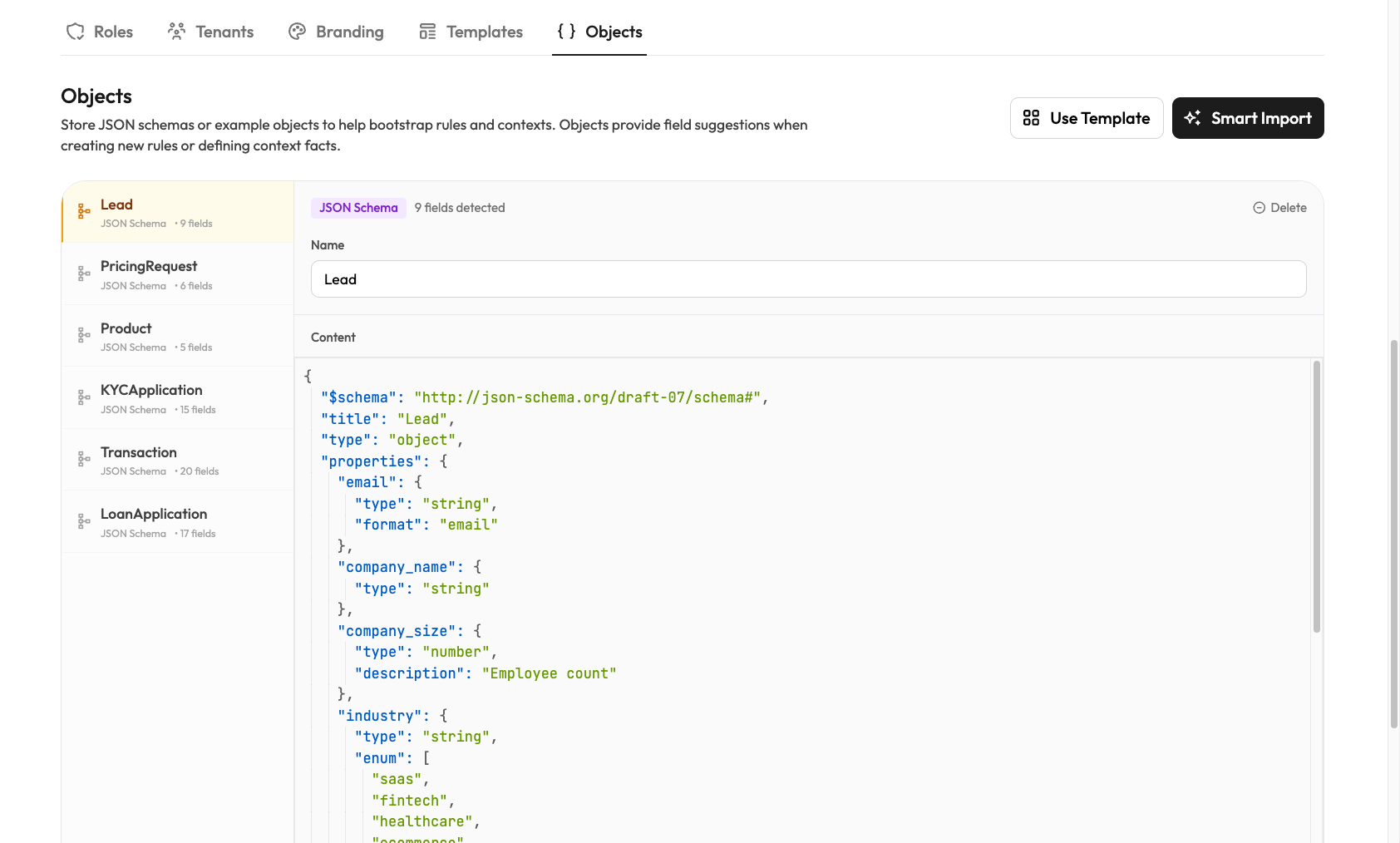
Enter a name and paste or write your JSON. Rulebricks detects whether it's a JSON Schema or plain JSON Object automatically.
Good for quick definitions when you know exactly what structure you need.
Using Objects in Rules
When creating a rule, click From Object to pull fields from an existing Object:
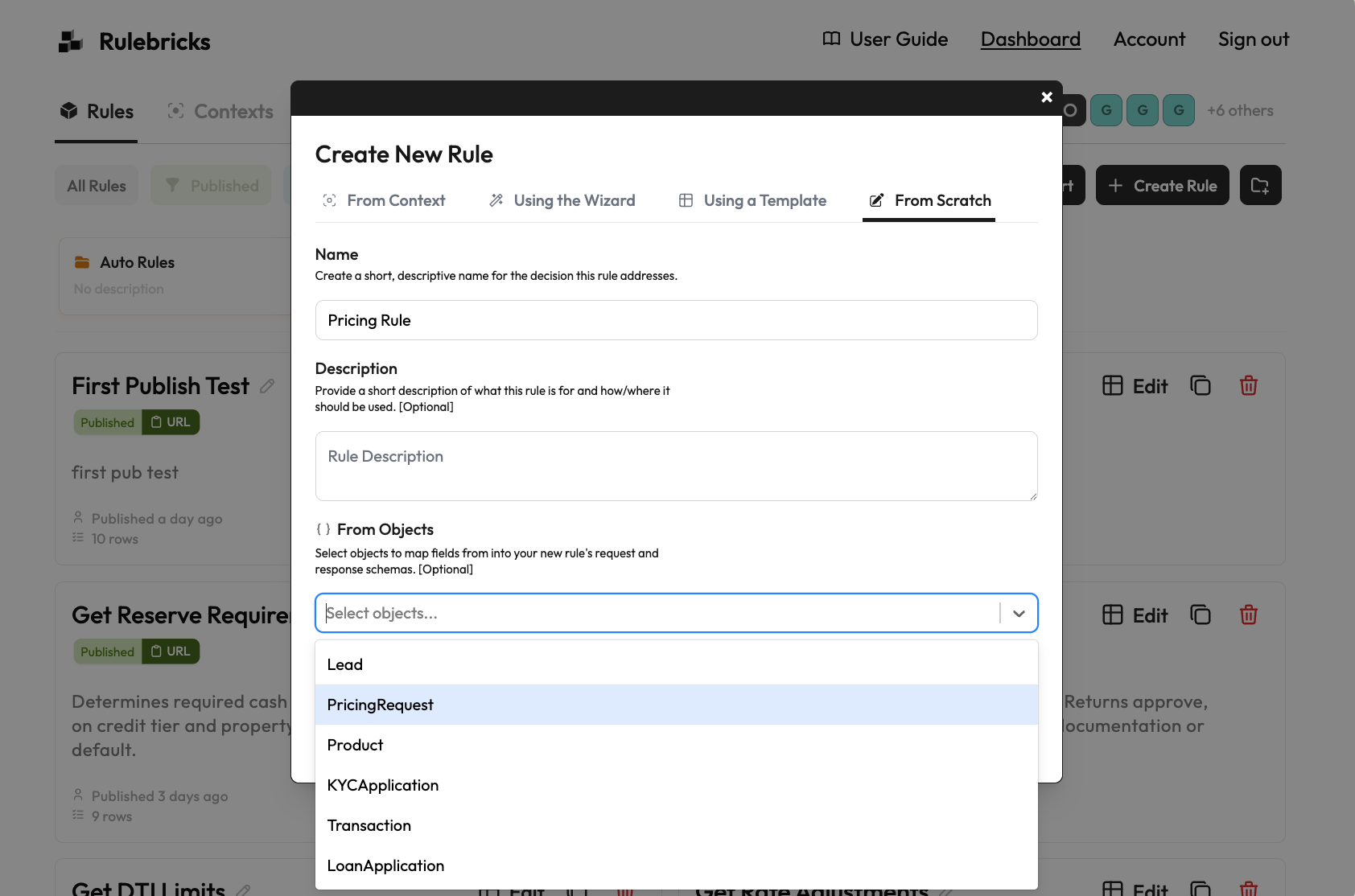
Select the fields you need and they're added to your rule's schema, correctly typed and named.
Automatic Dynamic Values
When you save a JSON Schema with enum fields, Rulebricks generates a system-managed value collection from each of them:
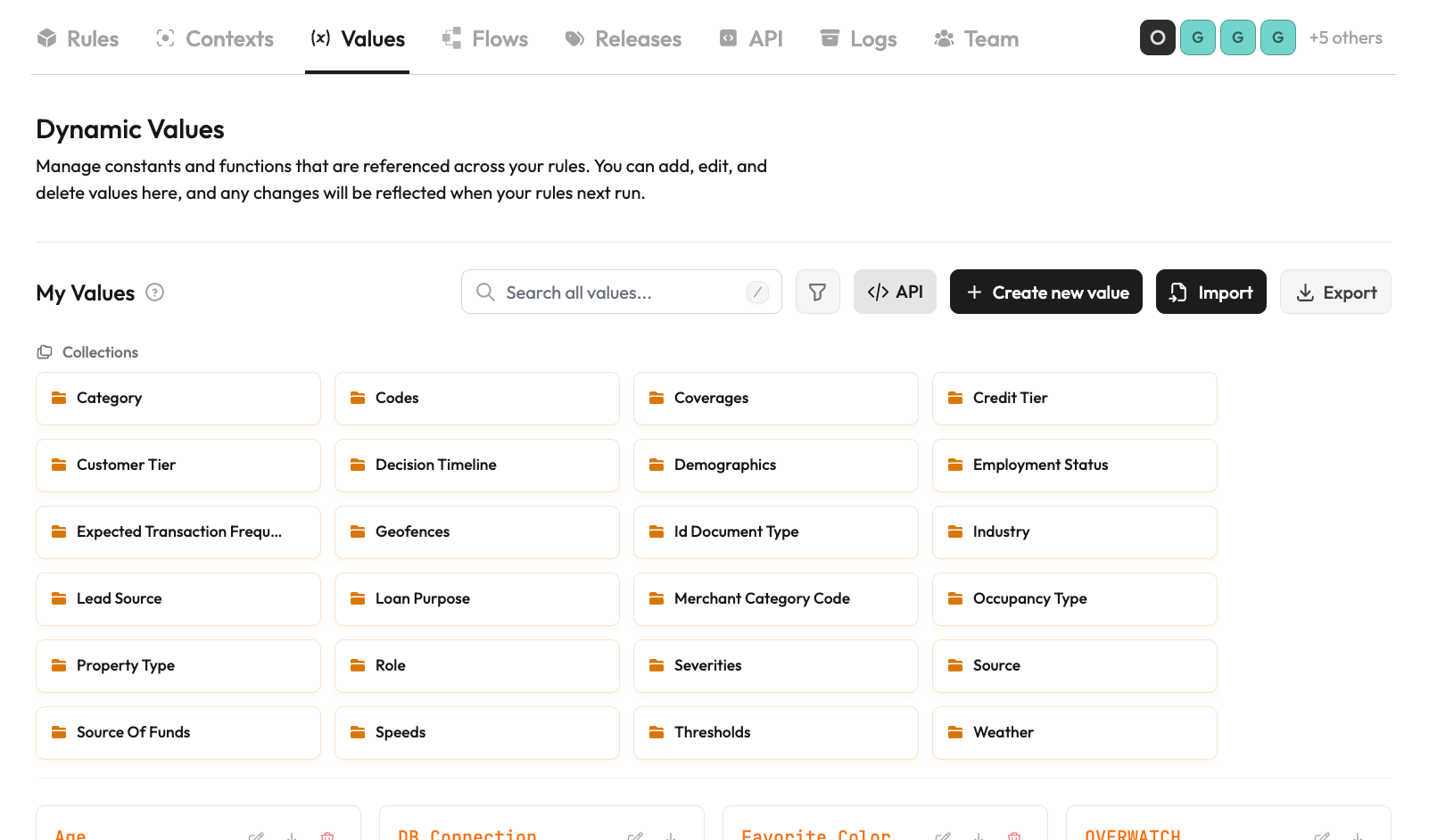
These appear as dropdown options in your rule conditions, so instead of typing "gold" you select it from a list. Fewer typos, faster rule building.
The object stays the source of truth for those values: editing the schema's enums updates them, removing an enum archives its value (published rules keep resolving it), and re-adding one revives the same value. If a generated name would collide with a value the object does not own, the save is rejected so an object can never silently take over hand-created vocabulary.
Objects can be used to inform rules and contexts. Update the Object and you have a single source of truth for that data structure.
Programmatic object management
Everything above is also available with an API key, which makes objects the highest-leverage way for an upstream system to administer vocabulary: push one updated JSON Schema, and every collection generated from it follows.
curl -X PUT https://rulebricks.example.com/api/v1/objects \
  -H "x-api-key: $RULEBRICKS_API_KEY" \
  -H "content-type: application/json" \
  -d '{
    "name": "Claim",
    "content": "{ \"type\": \"object\", \"properties\": { \"countryCode\": { \"type\": \"string\", \"title\": \"Country Code\", \"enum\": [\"US\", \"CA\", \"GB\"] } } }",
    "user_groups": ["underwriting"]
  }'
PUT /api/v1/objectscreates or updates an object byidor exactname(names are unique per workspace; an unknownidreturns 404 rather than creating a duplicate), syncs its managed values, and returns a diff (values.synced,values.archived). Passdry_run: trueto preview the diff without writing, andexpected_updated_atfor optimistic concurrency in read-modify-write pipelines (enforced atomically in the update).GET /api/v1/objectsandGET /api/v1/objects/{idOrName}read objects back, scoped to the key holder's user groups. Group-restricted keys see (and can modify) only objects whose groups overlap theirs, the same visibility model as values, rules, and flows.DELETE /api/v1/objects/{idOrName}removes an object. Its generated values lose their management lock and are archived by default; pass?values=detachto keep them active as ordinary values instead.user_groupson an object propagate to every value it generates. Assign an object to a group and its whole vocabulary follows. Group-restricted keys can only assign groups from their own set, and objects they create default to their groups.
API-key calls require the caller's role to include the manage objects entitlement (administrators and developers have it by default).
For syncing plain, hand-shaped collections without a schema, see syncing collections from external systems. The two approaches compose: objects for schema-shaped vocabulary, collection sync for everything else.